Bumble: Join The Moment
A new location-based feature for Bumble that lets users share time-sensitive public "Moments" visible to nearby users for 30 minutes - turning passive geo-location into real-time social discovery.
Geo-location is powerful - but users only turn it on when they need it.
Bumble's geo-location feature lets users find and match with people nearby, or keep swiping based on a past location while traveling. Paid plans unlock advanced filters - height, political views, zodiac sign - and temporary profile visibility boosts.
But users turn geo-location on situationally, then turn it off. Once they've swiped, staying "live" doesn't do anything new for them. The current feature set gives people no reason to keep their location on beyond passive profile browsing.
Location + _______ based matching
The question wasn't just "how do we use location better" - it was "what makes real-time location actually valuable in a social context?" Four directions emerged.
Match around what people are doing right now - at a gym, coffee shop, or concert. Shared context as the starting point for connection.
Surface people with shared interests who are physically nearby - making proximity and compatibility converge in the moment.
Match based on current mood or energy - who's looking to meet right now versus who's planning something for later.
Create urgency through ephemerality. A moment that disappears in 30 minutes gives people a real reason to act - and a real reason to keep their location on while it's live.
Three core flows mapped end-to-end
Before prototyping, we mapped the full user flows for browsing Moments (map view and gallery view) and posting a Moment - identifying decision points, edge cases, and the key moments of urgency.
.png)
Join The Moment
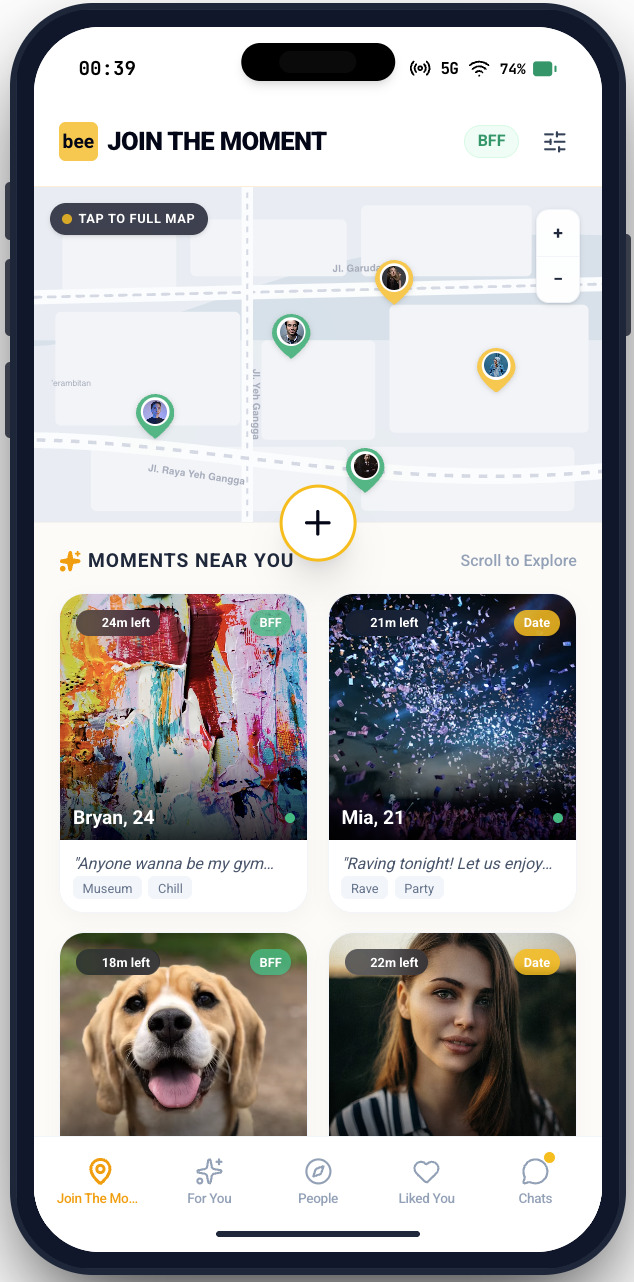
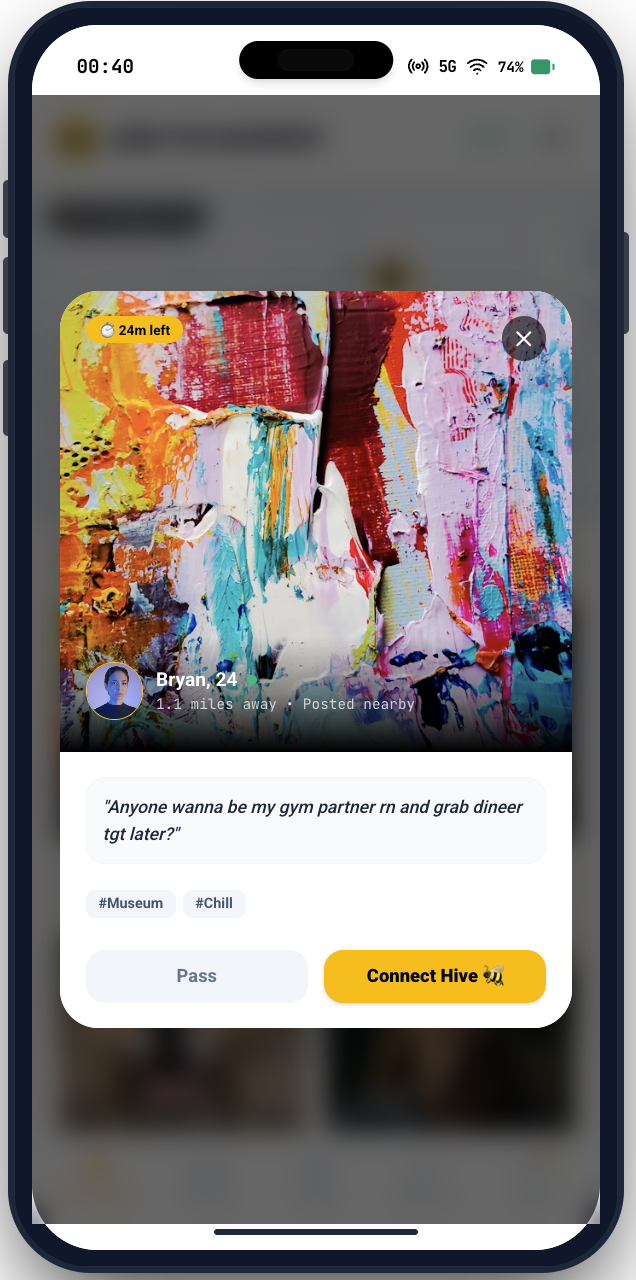
Users share a "Moment" - a short post about what they're doing right now. It appears on a live map and gallery feed visible to nearby users for exactly 30 minutes. When time is up, it's gone.
The ephemerality creates urgency. The location creates relevance. The shared context gives users a genuine reason to reach out - not just a profile, but something actually happening right now.
For users posting
Share what you're up to - grabbing coffee, at a gallery opening, heading to a show. Your Moment surfaces to nearby people who might want to join or reach out.
For users browsing
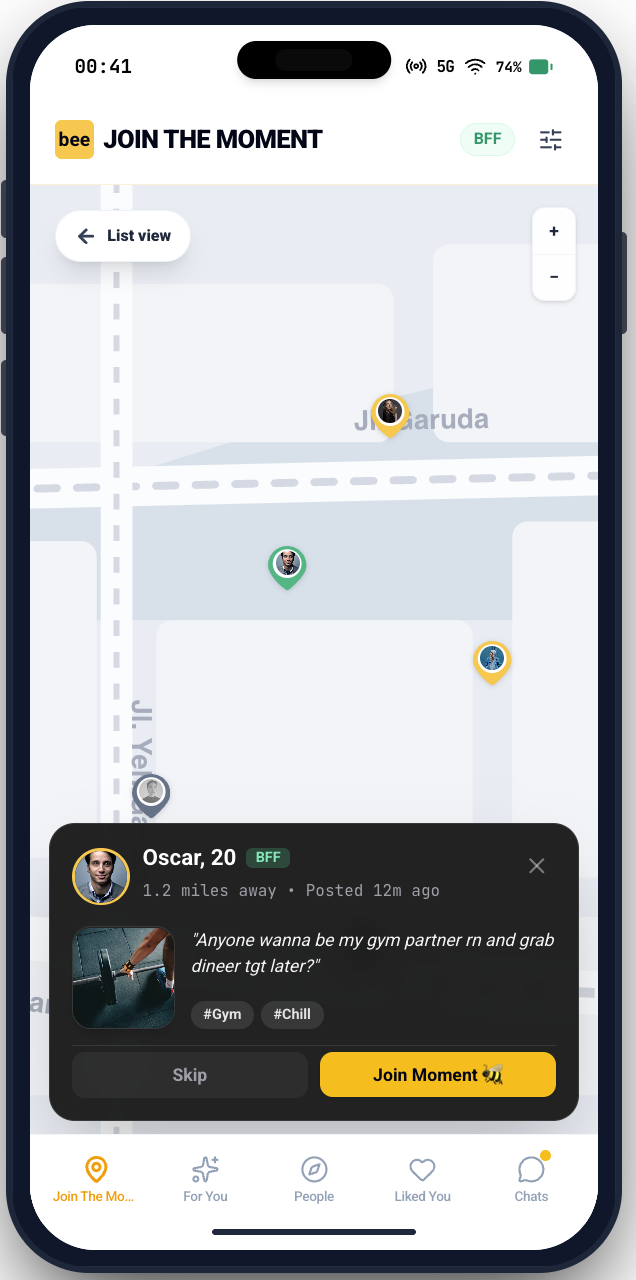
See a live map and gallery of Moments happening around you. Match based on what someone's actually doing right now, not just their profile.
Built on Bumble's brand, extended for Moments
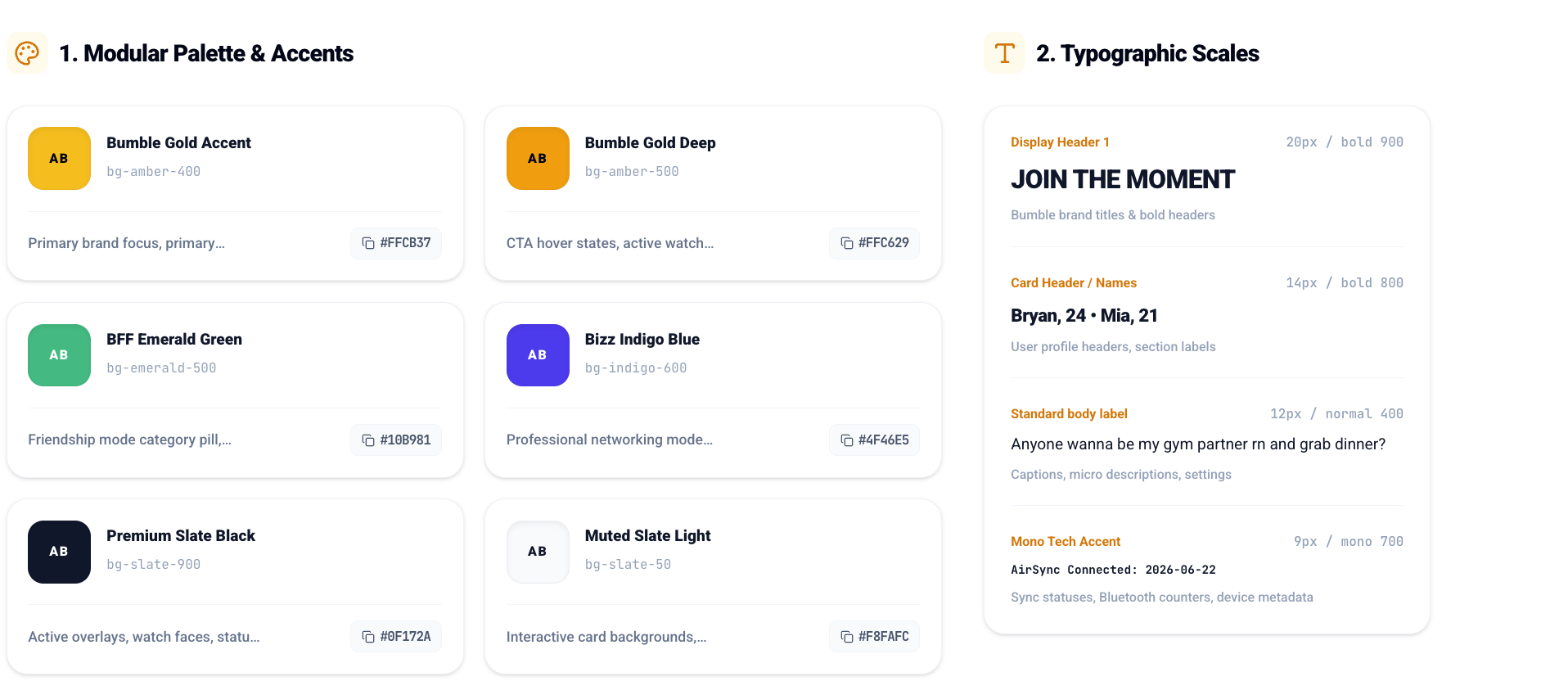
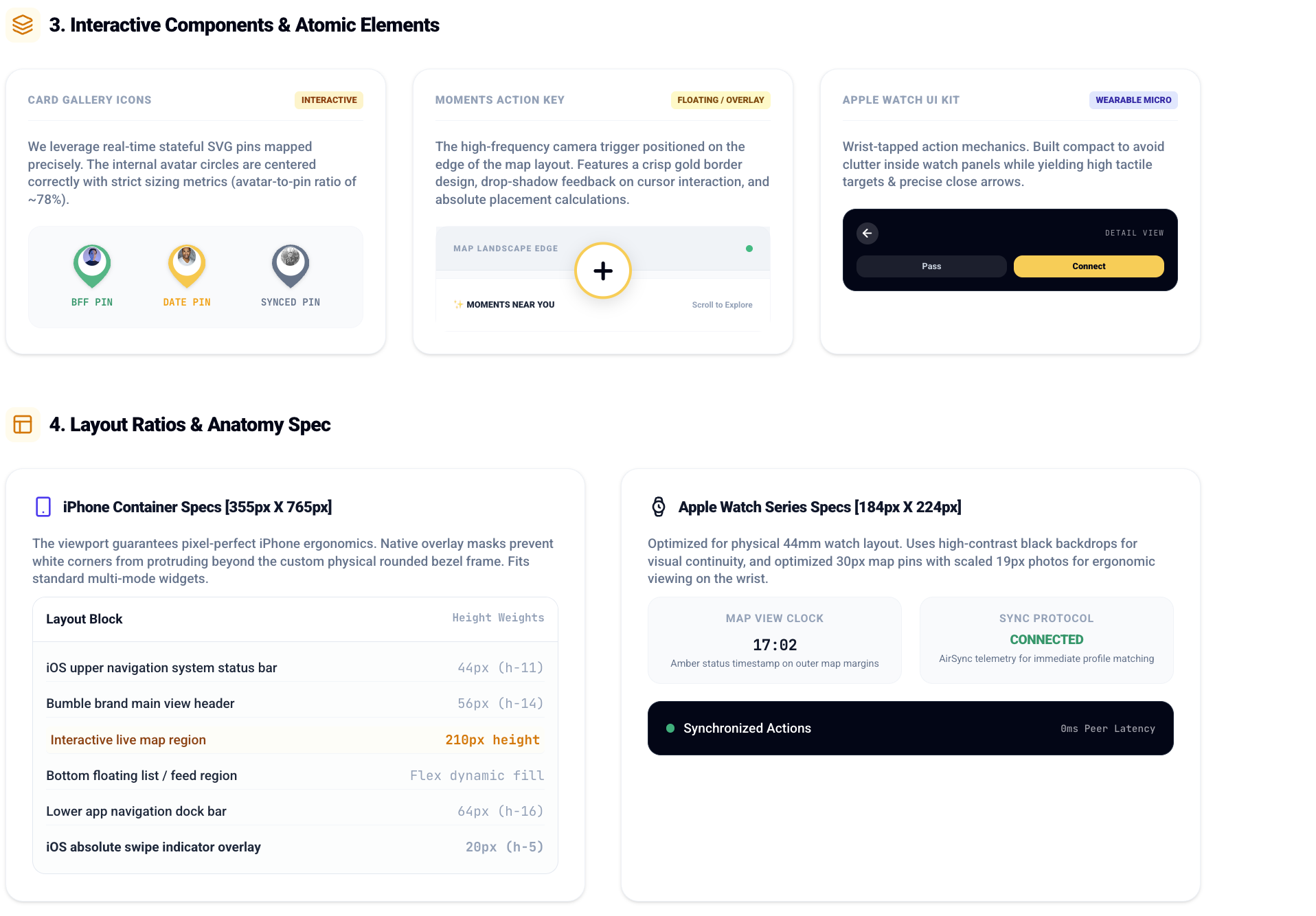
We established a modular design system grounded in Bumble's existing palette and typographic scale, then extended it with feature-specific tokens for the Moments feed, map pins, and Apple Watch components.
Three core flows
Share what you're doing right now
Users create a Moment from the home tab - adding a caption, selecting a vibe tag, and setting a visibility radius. It goes live for 30 minutes and appears on nearby users' maps and feeds.
Gallery view and map view
Users can browse Moments as a scrollable gallery or as pins on a live map. Both views show time remaining on each Moment - creating urgency that drives action.
Matching on the map from your wrist
The Apple Watch companion gives users a glanceable view of Moments nearby and lets them match directly from their wrist - without pulling out their phone. Designed for when you're already out and about.